Table of Contents (8 sections)
Maintaining a drone is crucial for ensuring its longevity and optimal performance. With the rapid advancements in drone technology, the right maintenance practices can significantly extend the life of your device while enhancing its capabilities. This guide provides essential drone maintenance tips that every pilot should follow to keep their equipment in top shape for years to come.
1. Understand Your Drone's Components
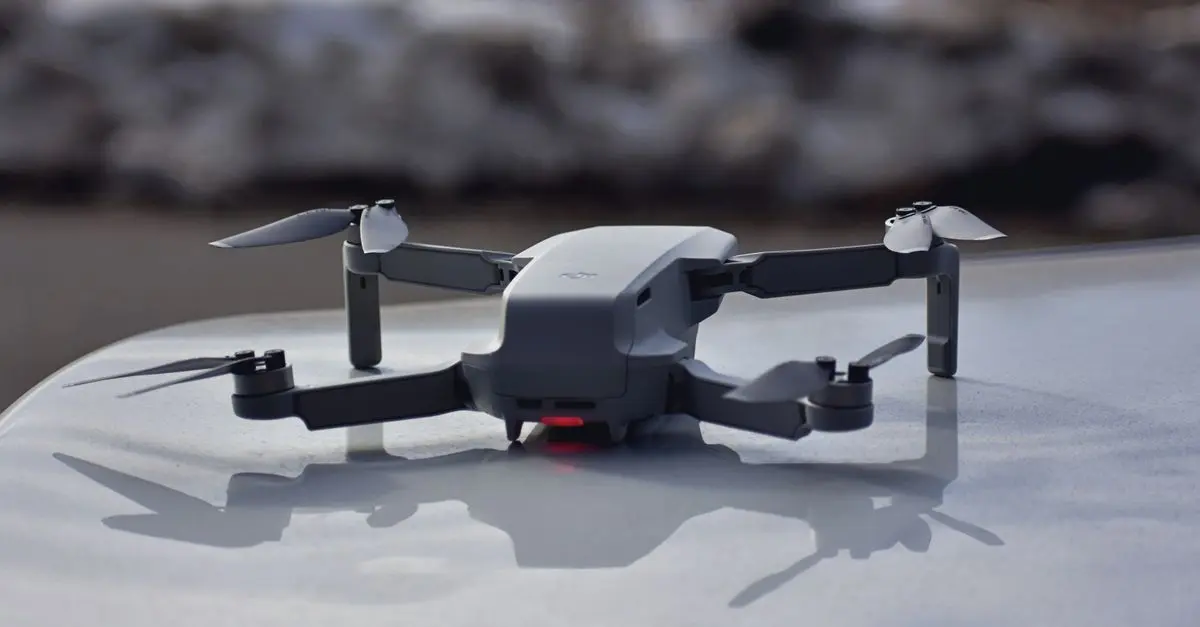
Knowing the major components of your drone is foundational to effective maintenance. Most consumer drones generally consist of a frame, motors, battery, and sensors. Regular inspection of these parts is essential.
For instance, propellers can become damaged from crashes or wear over time. Inspect them for any chips or bends, and replace them if necessary. Batteries also require special attention; they should be kept at optimal charge levels—ideally, between 40-60% if not in use for long periods. Furthermore, the motors should be free of debris and can be carefully brushed and cleaned using a soft brush or compressed air. This inspection will not only improve flight safety but also enhance efficiency.
💡 Expert Tip: Always refer to your drone’s user manual for specific maintenance schedules and procedures tailored to your model.
2. Regular Firmware Updates
Another essential step in drone maintenance is ensuring that the firmware is up to date. Manufacturers frequently release updates that improve performance, fix bugs, and even add new features to the drone. Ignoring these updates can lead to compatibility issues and potentially impact your flight experience.
To update the firmware:
- Connect your drone to its companion app.
- Follow the prompts to download and install the latest firmware.
- Ensure to verify that all updates are completed successfully before your next flight.
Drones equipped with GPS and advanced sensors can experience performance setbacks if their systems are outdated. Keeping your firmware current, therefore, is an easy way to ensure smooth operation.
3. Clean Your Drone After Each Use
Dirt and debris can accumulate on your drone after each flight, especially if you've flown in sandy or dusty environments. Regular cleaning is vital for maintaining aesthetics and ensuring all systems operate optimally.
Steps for cleaning:
- Use a soft cloth to wipe down the exterior and protective components.
- Detach the propellers and clean them separately.
- Ensure sensors and camera lenses are clear of dirt for accurate readings and high-quality images.
Statistics show that drones subject to regular cleaning have a 30% longer operational lifespan compared to those that are not maintained properly. Regular cleaning contributes not only to visual appeal but also to safety and functionality.
4. Battery Care and Storage
Batteries are one of the most critical components of a drone. Improper battery management can lead to reduced performance during flight and an overall shortened lifespan. To care for your battery:
- Charge batteries using the manufacturer’s charger, and avoid overcharging as this can lead to swelling or even fire hazards.
- Store batteries in a cool, dry place, preferably in a fire-resistant bag. Never leave them on the charger unattended.
- Monitor the battery’s health regularly; a healthy battery should not have any bulges or signs of wear.
Consider adopting a charging routine that matches your flying habits, allowing you to maintain optimal battery health while enjoying your flights.
5. Store Your Drone Properly
When you're not using your drone, proper storage is essential. Store your drone in a cool, dry place, away from direct sunlight to prevent heat buildup that could damage its components.
Here are some storage tips:
- Use a hard case or padded bag to protect against falls and physical damage.
- Detach propellers and batteries to reduce stress on components.
- Regularly check your drone during storage to ensure no issues arise, such as insects or moisture.
A well-stored drone can be ready for flight with minimal issues, and this is particularly helpful during seasonal changes or when traveling.
6. Troubleshooting Common Issues
From time to time, you may encounter issues with your drone. Here are some common problems and how to address them:
- Battery Failure: If your drone isn’t holding a charge, it may be time to replace the battery. Consider purchasing a replacement from a reputable supplier.
- Signal Issues: If you’re experiencing range issues, check your drone’s antennas for damage.
- Flight Instabilities: In this case, check whether the propellers are secure and free from damage.
Regular troubleshooting can resolve these issues before they become larger problems, helping maintain your drone’s performance.
📺 Resource Video
> 📺 To go further: *